orkut

  • Subscribe to our RSS feed.
  • Twitter
  • StumbleUpon
  • Reddit
  • Facebook
  • Digg

Saturday, October 30, 2010

Orkut hears a bump in the night

Posted on 8:55 PM by Unknown
Boo! We’ve been getting some strange reports recently. Bat sightings, ghosts appearing out of thin air, wolves howling in the night. Oh, and don’t even get us started on the number of zombies that have been seen lurching around. Even the orkut logo seems to have gone through a transformation:
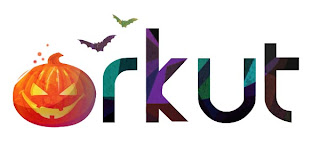
Without a doubt, there’s something spooky in the air on orkut. Before you get scared, remember that today is Halloween, one of the funniest holidays in the U.S. calendar and many other countries around the world. Millions of people, both children and adults, dress up in their best costumes (the scarier the better), decorate their houses and head outside for some trick-or-treating or a plain old-fashioned costume party.

To join the fun, you don’t even need to come up with a costume. Just decorate your orkut profile with a theme or background color. Black and orange are the official Halloween colors in case you’re looking for some inspiration.

And here’s another tip: You can also create a new cool scary profile picture using Picnik, Google’s free online photo editor.

Hope you all have a hair-raising holiday!

Posted by Natália Gerassi, orkut operations team
Read More
Posted in | No comments

Thursday, October 28, 2010

Tips for a more secure orkut experience

Posted on 5:11 PM by Unknown
We all like to have fun online, but it’s important to be wary of security threats like fake websites or emails, and misleading messages and links. Losing your account is no fun, so to help keep you from falling into a virtual trap, here are some important safety tips and signals to keep in mind while browsing the web:

Ignore phishing and hoaxes
Hoaxes are false and usually alarming messages that attempt to persuade you to forward them to others. If you do so, you end up spreading a lie. Phishing is an attempt to steal personal information through fake emails or websites. To know when you should immediately delete or ignore these messages, here are some common signs of phishing and hoaxes:
  • Messages about security or sensitive issues which ask you to forward to friends
  • Sites that try to look like orkut but are not at our official address (www.orkut.com/ or www.google.com/)
  • External sites that request your orkut or Google account password for any reason
  • Messages about amazing (or terrible) changes to orkut or your account if you do (or don’t do) something
Remember that all orkut announcements are posted on the official blog, so if it’s not here, it’s likely not true. If you notice any strange activity on your account, change your password and follow the steps in this security checklist.

Get a safe lock
You wouldn’t protect your house with a toy lock, right? It shouldn't be any different on the Internet! Always use a strong and unique password for all your online accounts, including orkut and your email service. Check out some tips on how to create a strong password, and remember to change it periodically, especially for important accounts whenever you suspect one of them may have been at risk.

Say no to codes and scripts
Don’t ever click or enter any code/script in your browser’s address bar when signed into orkut or other services. That is one of the most popular methods used to steal information from your account. Usually they promise some miraculous outcome if you run their code or click a link to automatically run a script, but be cautious — most of the time the code will actually do something else that could be harmful.

Keep your browser and anti-virus updated to browse safely
Navigating the Internet on an outdated browser is like driving in a broken old car — not only are you unable to speed up, but it’s also more likely that something bad may happen. If you always keep your browser updated, websites will load much faster, and you will be safer because the more recent versions contain the latest security updates. Don’t forget that updating your browser is always free and takes only a few minutes. Also, if you use Google Chrome, your browser is already updated for you — no more action required on your part.

Another important way to keep your computer safe is by always having an updated anti-virus program. The good news is that you can get quality anti-virus software for free. If any virus is found on your computer, get rid of it first, and then remember to change all your passwords, as they could have already been stolen.

Close the door when leaving
Finally, remember to always click the sign-out link on the top of the page when you’re done using orkut, especially if you’re on a shared computer or using a friend’s computer. If you simply quit the browser but don’t sign out, anyone can reopen orkut on that browser later and access your profile.


Keep these instructions in mind to browse the web more safely! To find out more security tips, don’t forget to check our other posts for Cyber Security Awareness Month.

Posted by Natalia Gerassi and Ariel, orkut operations team
Read More
Posted in googlenew | No comments

Friday, October 8, 2010

Finer control for Groups of Friends

Posted on 2:51 PM by Unknown
Since we launched Groups of Friends, you’ve likely been using the groups management page to quickly rename, remove and create your groups. So, we’d like to let you know about two improvements we just added to that page.


Remove suggested groups
See a suggested group that you don’t really like? Not a problem, now you can easily remove it so it doesn’t show up again!


Move friends to different groups
Now you can select several friends from one group and add them to another. Just select multiple friends by pressing the key to drag and drop them into their new group:


To open the groups management page at anytime, just click the "+" button on the top of your homepage and select "manage groups".


Hope you enjoy it, and let us know if you'd like to see more improvements in there.

Posted by Rodrigo Paiva, orkut operations team
Read More
Posted in googlenew | No comments
Newer Posts Older Posts Home
Subscribe to: Comments (Atom)

Popular Posts

  • Ensuring more safety to your account
    At Google, we take account security very seriously. Our team of experts work daily to ensure that your personal information is protected. On...
  • Add your Picasa Web Photos to your Scrapbook!
    Posted by Anisha Malhorta , Software Engineer A couple months ago, we announced that you could add HTML or links to your friends' scrap...
  • Discovering the activities of community members
    Have you ever wondered who the most influential users in a particular community are? How active a certain user is in a community, and how mu...
  • Interesting Google+ content on your Orkut profile
    There are a lot of cool things happening on Google+ . Celebrities, companies and personalities have been using the platform to share their u...
  • Searching for better search
    Posted by Eduardo Thuler , orkut Product Manager Though I've discovered dozens of people on orkut, searching for them has never been ea...
  • Tips for a more secure orkut experience
    We all like to have fun online, but it’s important to be wary of security threats like fake websites or emails, and misleading messages and ...
  • A new search page on orkut
    Lately we've been working to make orkut more fun, safe, faster and easier to use. After several releases and updates, here's another...
  • Drag and drop to customize your profile page
    Posted by Adam Winer, Software Engineer Orkut profiles have become a lot more dynamic in the last year. Not only are your photos , videos ,...
  • The new Google Toolbar for Orkut
    We launched some cool new features for Orkut users this week . A new layout is now available for users with linked Orkut and Google+ profile...
  • Upgrade your Orkut Profile
    We've recently made it possible for you to   link your Orkut and Google+ profiles . Starting today, linked profiles will provide access ...

Categories

  • googlenew
  • trends

Blog Archive

  • ►  2012 (32)
    • ►  September (1)
    • ►  August (3)
    • ►  July (2)
    • ►  June (3)
    • ►  May (4)
    • ►  April (3)
    • ►  March (5)
    • ►  February (3)
    • ►  January (8)
  • ►  2011 (30)
    • ►  December (6)
    • ►  November (2)
    • ►  October (1)
    • ►  September (2)
    • ►  August (1)
    • ►  July (1)
    • ►  June (3)
    • ►  May (2)
    • ►  March (7)
    • ►  February (1)
    • ►  January (4)
  • ▼  2010 (70)
    • ►  December (5)
    • ►  November (2)
    • ▼  October (3)
      • Orkut hears a bump in the night
      • Tips for a more secure orkut experience
      • Finer control for Groups of Friends
    • ►  September (7)
    • ►  August (7)
    • ►  July (10)
    • ►  June (9)
    • ►  May (4)
    • ►  April (3)
    • ►  March (7)
    • ►  February (8)
    • ►  January (5)
  • ►  2009 (42)
    • ►  December (7)
    • ►  November (3)
    • ►  October (4)
    • ►  September (3)
    • ►  August (3)
    • ►  July (2)
    • ►  June (4)
    • ►  May (1)
    • ►  April (7)
    • ►  March (5)
    • ►  February (1)
    • ►  January (2)
  • ►  2008 (68)
    • ►  December (4)
    • ►  November (5)
    • ►  October (7)
    • ►  September (1)
    • ►  August (1)
    • ►  July (4)
    • ►  June (8)
    • ►  May (8)
    • ►  April (8)
    • ►  March (11)
    • ►  February (5)
    • ►  January (6)
  • ►  2007 (53)
    • ►  December (8)
    • ►  November (10)
    • ►  October (9)
    • ►  September (7)
    • ►  August (14)
    • ►  July (4)
    • ►  June (1)
Powered by Blogger.

About Me

Unknown
View my complete profile